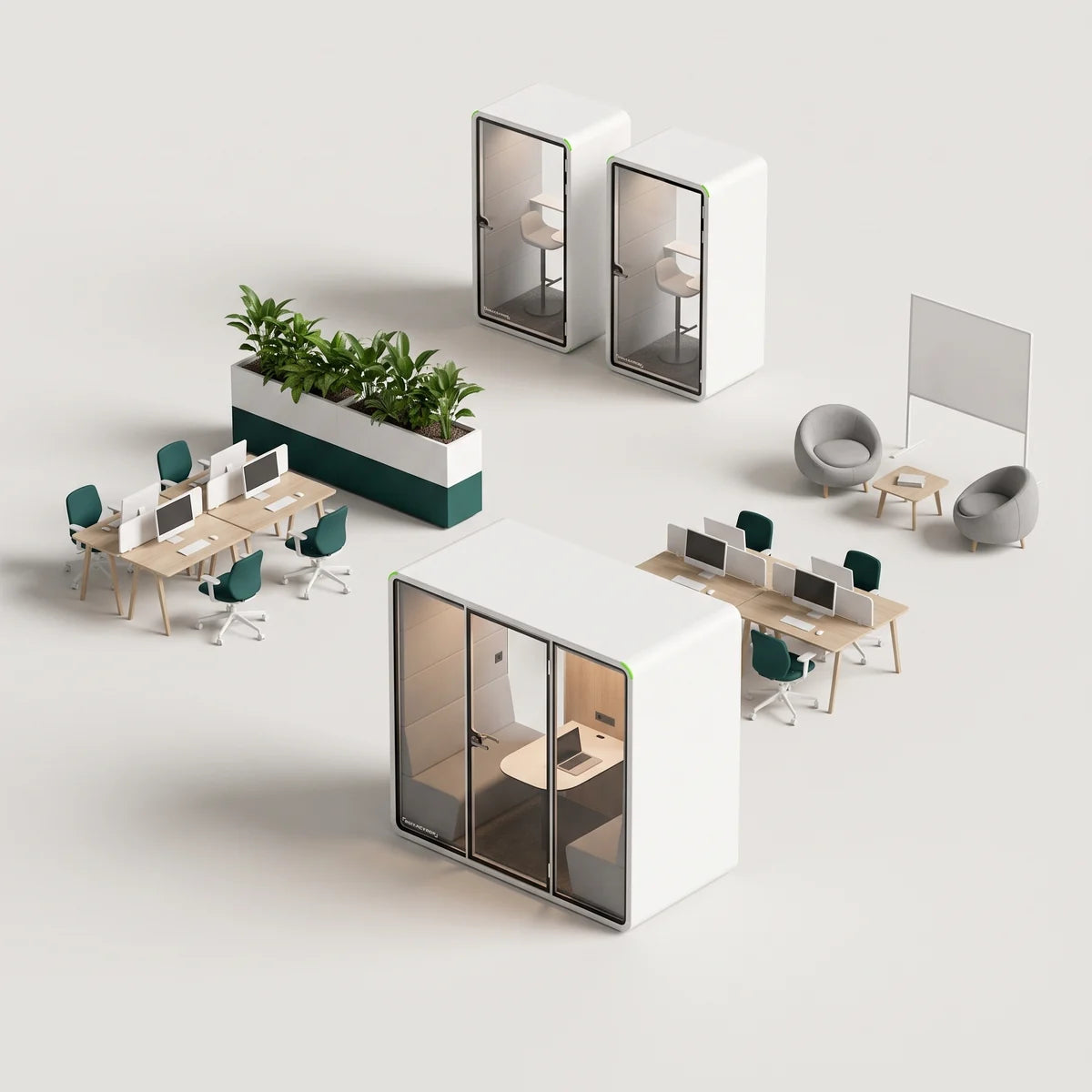
The hybrid office model lets employees split their time between on-site and remote work. It is no longer a temporary experiment; it has become the standard for modern business operations and the way the office itself is now designed.
According to the Pew Research Center, about 35% of U.S. workers with remote-capable jobs work from home all the time, while 41% follow a hybrid schedule, splitting time between home and the office. A clear, well-supported hybrid strategy helps companies manage space efficiently while supporting team members across locations.
This guide looks at the operational benefits, best practices, collaboration tools, and common challenges of the hybrid workplace. We will examine how to balance hybrid collaboration with deep focus, and why the physical office must evolve to stay relevant.
Core hybrid work models and arrangements
There is no one-size-fits-all approach to hybrid work. Companies should select a model that aligns with their culture and operational needs, accounting for employee preferences and flexible-working policies.
| Model | How it works | Ideal for | Watch-outs |
|---|---|---|---|
| Hub-and-spoke | Main HQ supported by a smaller satellite office or coworking memberships. | Large urban firms with distributed workforces. | Potential for culture fragmentation across locations. |
| Hot-desking / hoteling | Unassigned, bookable workpoints reduce empty desks compared to assigned seating. | Dynamic hybrid teams with fluctuating attendance. | Employees may struggle with a lack of belonging. |
| Activity-based zones | Distinct zones designed for specific tasks, such as quiet zones and collaboration spaces. | Creative organizations and agile development teams. | Can create wayfinding complexity if not clearly marked. |
| Office-as-clubhouse | Office used mainly for periodic gatherings, socializing, and meetings. | Remote-first startups and distributed teams. | Risk of under-utilization on non-event days. |
Choosing the right hybrid model helps keep employees productive, engaged, and connected no matter where they work.
Pro tip: Whatever model you choose, installing modular office pods is the fastest way to add focus zones to the office without altering the building structure.
Benefits vs. challenges of hybrid office space
Moving to a hybrid model offers real upside, but it requires navigating specific hurdles. Research suggests that spending about 50% of working time in the office is a sweet spot, strengthening in-person collaboration, training, mentorship, retention, and overall performance.
Primary benefits
- Productivity gains: employees can match the environment to the task, using home for focus and the office for collaboration.
- Global talent access: removing strict location requirements opens doors to a wider, more diverse talent pool.
- Reduced commuting: less time in traffic means higher morale, better well-being, and lower emissions, with measurably improved work-life balance.
- Scalability: easier to scale teams up or down without immediate real estate pressure, which lowers cost.
Key hybrid work considerations
While hybrid work offers clear advantages, success depends on addressing a few recurring issues:
- Coordination complexity across distributed team members
- An equitable experience for both in-office and remote employees
- Intentional collaboration when teams are not co-located daily
- Space optimization to support diverse work modes across the workplace
Essential technology stack for the hybrid workplace
The right tools turn these considerations into competitive advantages. The checklist below maps common pain points to the technical solutions that support hybrid work policies.
| Pain point | Tool category | Example features |
|---|---|---|
| Desk jockeying and fighting for space | Desk and conference room booking systems | Mobile QR check-in, calendar integration |
| Video-call fatigue in echoey conference rooms | High-fidelity AV kits | Auto-framing cameras, directional microphones |
| Ambient noise distractions | Sound masking and acoustic pods | White noise emitters, acoustically rated booths |
| Visibility gaps in office space usage | Occupancy analytics | Heatmaps, peak usage alerts |
| Package and delivery chaos | Smart mailroom systems and digital signage | Self-serve lockers, automated notifications |
Hybrid office design best practices: the 5 pillars

Designing a high-functioning hybrid office requires a shift from rows of desks to ecosystems of experience that improve employee satisfaction. Successful hybrid design rests on five pillars.
Space for every work mode
The layout should offer distinct zones for deep focus, virtual meetings, co-creation, and socializing.
Flexible working and modularity
Modular furniture should be reconfigurable on the fly, so the layout can evolve with team needs and changing schedules.
Embedded technology
Clean integration of booking apps, occupancy sensors, and professional-grade AV is non-negotiable, supporting both remote and on-site workers equally.
Belonging and equity
Spaces must be ADA-compliant, and hybrid policies must be inclusive so remote and in-office employees feel equally valued.
Serendipity zones
Well-placed amenities such as coffee bars or lounges encourage spontaneous interactions and cross-departmental ideas, moving beyond the traditional desk grid.
Acoustic privacy made easy with PrivacyPod
One of the most efficient ways to deliver the focus pillar in a hybrid office is modular architecture. PrivacyPod meeting pods and phone booths deliver studio-grade quiet with ISO 23351-1 Class A performance (about 30 dB speech level reduction), independently confirmed by SGS and tuned to an RT60 of 0.25s for a comfortable interior.
These booths use sustainable, low-emission materials and configurable interiors, making them a strong fit for eco-conscious teams that prioritize quiet workspace. With options for ADA-compliant pods and lactation rooms, PrivacyPod adds an instant quiet room to your floor plan, with none of the dust, debris, or cost of traditional construction.

S Pod Plus
- Footprint: 42.5" x 39.4" (~1 m²), fits tight hybrid layouts
- 30 dB certified acoustic isolation (ISO 23351-1)
- Partitioned panels for mix-and-match interior colors

SL Pod
- Footprint: 90.6" x 38" (narrow depth)
- ISO-verified 30 dB speech privacy; RT 0.25s
- Dual whisper fans plus two 4000K LED strips, motion-activated

L ADA Pod
- Wide opening with low threshold for accessibility
- Automatic door opener and touchless sensor switch
- Ultra-thin base plate for easy roll-in access
Transform your office for the hybrid era
A successful hybrid office relies on intentional design, flexible technology, and reliable acoustic privacy. By moving away from rigid layouts and toward a user-centric approach, companies can create environments that attract talent and foster real innovation. Now is the time to ask whether your current space supports the way your team actually works.
To get started, audit your workspace for noise hotspots and collaboration gaps. For a smooth transition to a quieter, more productive hybrid workplace, explore PrivacyPod's acoustic office pods or contact our team today.
FAQs
How much space per employee is ideal in a hybrid office?
Traditional full-time offices used 150 to 175 sq. ft. per person at a 1:1 desk ratio, but hybrid models apply sharing ratios of 1 desk per 1.5 to 2 employees (or 0.5 to 0.7 desks per employee), yielding 100 to 150 sq. ft. per person on average. Effective planning emphasizes collaborative spaces over assigned desks.
Do hybrid offices still need assigned seating?
Generally, no. Most hybrid workplaces move to hot desking or neighborhood seating to maximize space efficiency, though specific roles may still require assigned seating.
How do soundproof pods compare in cost to traditional build-outs?
Soundproof pods are significantly more cost-effective than traditional build-outs. They avoid permitting fees, contractor labor, and drywall costs, with savings often reaching 60 to 80 percent based on real-world examples for comparable 4-person spaces.
Are PrivacyPod booths ADA-compliant and suitable for lactation rooms?
Yes. PrivacyPod designs specific ADA-compliant pods such as the L Accessible Pod and XL Accessible Pod with wider turning radii and low thresholds, as well as dedicated lactation suites equipped for privacy and comfort.
How do you maintain proper ventilation and air quality inside pods?
High-quality pods use an integrated, silent fan system tied to an occupancy sensor that cycles air constantly, keeping the workspace fresh during extended sessions. This is active ventilation, not air conditioning.
Can acoustic pods be relocated if we move offices or re-stack floors?
Yes. One of the primary advantages of modular pods is portability. They can be disassembled and moved to a new location, protecting your investment in a way fixed construction cannot.
Ready to build focus into your hybrid office?
Browse the PrivacyPod office pod collection, compare models on the pod comparison page, or contact the PrivacyPod team for a quote. You can also email info@privacypod.ai or call (877) 774-8763.
Filed under Workplace planning
Back to the blog