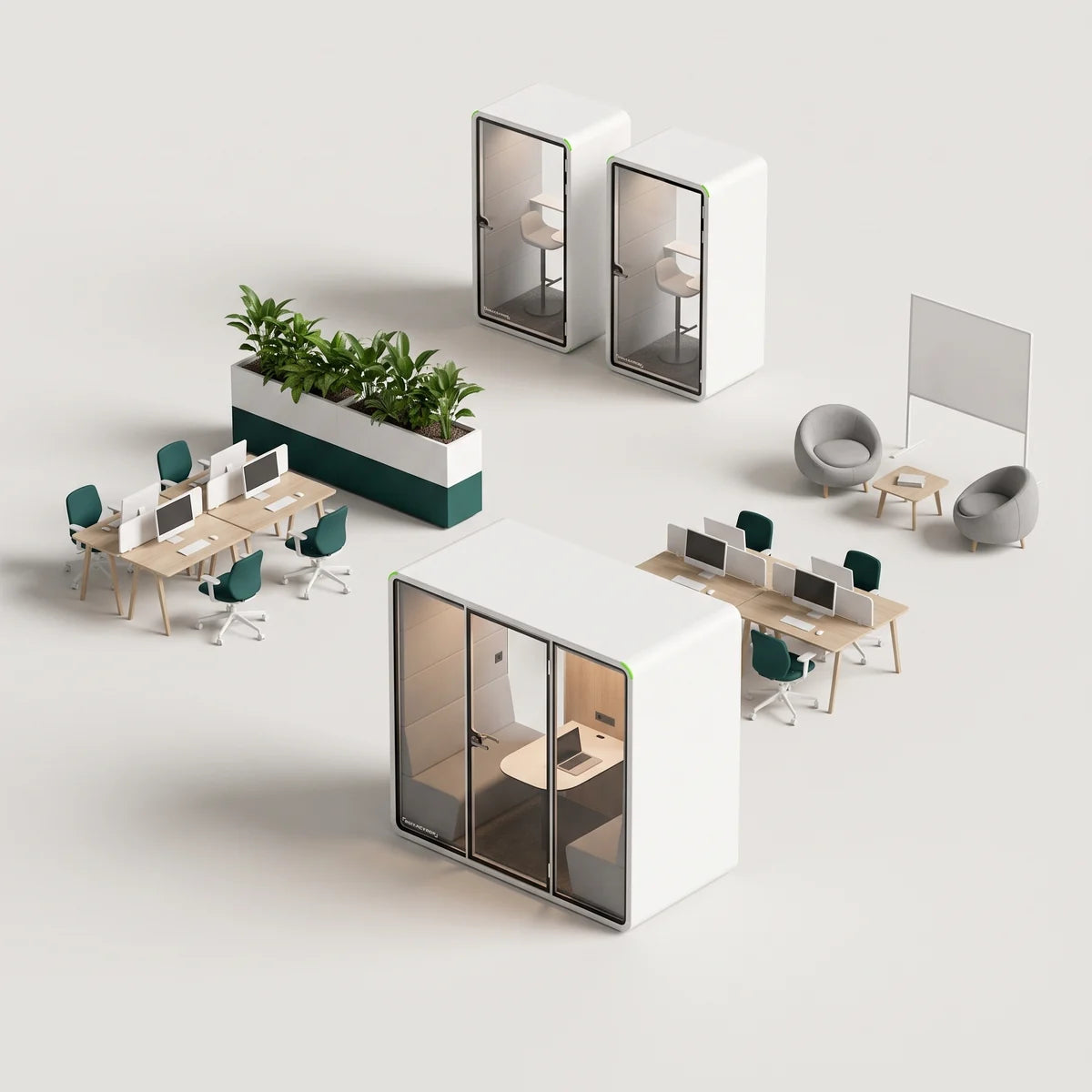
Huddle rooms are small, tech-enabled meeting spaces designed for quick collaboration or brainstorming sessions among team members.
As hybrid work reshapes modern offices, these compact spaces have become essential infrastructure, replacing traditional conference rooms with flexible, cost-effective alternatives that help teams connect and move fast. They maximize office space efficiency while improving collaboration quality.
In this guide, you will learn what defines a huddle room, how it differs from a regular conference room, and how to set one up effectively in your workspace.
What Is a Huddle Room?
A huddle room is a small meeting space designed for two to six people. These rooms are equipped with audio-visual technology for quick collaboration, ad-hoc check-ins, and hybrid meetings.
Unlike large conference rooms, huddle spaces prioritize speed and utility for agile workflows. Teams can quickly solve problems without booking a room weeks in advance.
The demand is data-driven. Research shows 91% of meetings are only among 2 to 4 people, and 73% occur in private offices. The message is clear: offices need more small meeting rooms and private spaces, not more boardrooms.
Huddle Room vs Conference Rooms: Key Differences
While both collaboration spaces help team members communicate, the huddle room and the traditional meeting room serve distinct functions and follow distinct design philosophies. Understanding these differences is vital for facilities managers planning an office layout with huddle rooms.
| Feature | Huddle Room | Traditional Conference Room |
|---|---|---|
| Size & Occupancy | Small meeting room; seats two to six people | Large room; seats 10 to 20+ |
| Booking Flexibility | Often ad-hoc / on-demand | Strictly pre-scheduled |
| Cost & Construction | Low-cost; quick deployment | High capital expense; long build-out |
| AV Tech Stack | All-in-one video bars | Complex integrated suites |
| Meeting Style | Stand-up meetings, quick check-ins | Formal board reviews, client pitches |
| Utilization | High frequency, short duration | Lower frequency, long duration |
Benefits of Huddle Rooms in the Modern Workplace
Huddle rooms create structured opportunities for collaboration without the formality of traditional conference spaces.
Modern office layouts benefit significantly from these small rooms. Providing sufficient meeting-room capacity is a common challenge in offices, and small huddle spaces are a direct way to ease that bottleneck.
Here are some of the benefits:
- Improves focus and privacy: Acoustic and visual privacy remove distractions common in open-plan offices, providing refuge from a busy environment and letting employees hold small brainstorming sessions and return to deep work faster.
- Speeds decision-making: Removing booking barriers lets teams resolve issues immediately and supports agile workflows like Scrum and Kanban.
- Optimizes office space and cost: Fit three to four huddle rooms in the footprint of one conference room, maximizing your office space, while standardized AV technology costs less than custom systems.
- Increases availability: More huddle spaces mean fewer bottlenecks during peak hours compared with scarce conference rooms.
- Enhances hybrid collaboration: Quality AV ensures remote team members are seen and heard equally, making video meetings feel natural and remote onboarding and inclusion smooth.
Understanding the benefits of huddle environments is key to modern office planning.
Common Uses for Huddle Rooms
The versatility of a huddle space lets it adapt to various departmental needs throughout the day. Studies indicate that huddles positively impacted team process outcomes in 67.7% of studies.
This includes meaningful improvements in efficiency, process-based functioning, and communication across roles within small huddle spaces. The ability to gather quickly, without barriers, accelerates decision velocity.
Common scenarios include:
- Agile teams conducting 15-minute stand-up meetings
- Spontaneous brainstorming sessions requiring a whiteboard and privacy
- Managers onboarding new hires or reviewing specific tools
- Focused discussions in private spaces
- Sales teams presenting to clients without background noise
- Connecting in-office and remote colleagues for hybrid meetings
- Short check-ins for alignment
Tip: Match the space to the task. Enforcing a soft 45-minute limit on huddle rooms can keep momentum high and availability open for other teams needing informal meetings.
Essential Huddle Room Design and Equipment
Creating an effective huddle room requires a balance of intuitive technology and physical comfort. Below is the essential checklist to ensure your design performs well and creates the best huddle spaces.
Technology Checklist
Huddle rooms need video conferencing tools, including a high-quality display, a wide-angle camera, and beam-forming audio equipment that isolates speech from noise.
Wireless screen-sharing with HDMI backup keeps connectivity reliable, while live transcription and enterprise-grade encryption address security and accessibility. All-in-one video bars consolidate components and minimize cable clutter.
Physical and Environmental Checklist
The physical environment is critical to huddle room effectiveness. Ergonomic furniture with accessible height options creates comfort, while tabletop power outlets and USB-C ports remove connectivity frustrations.
Front-facing LED lighting ensures a professional video meeting appearance and visibility. Most importantly, the space should be purpose-built with acoustic privacy to prevent sound bleed and distractions.
PrivacyPod Solutions
Building permanent walls for small-group rooms can be costly and disruptive. A better alternative is the modular approach. PrivacyPod offers studio-grade acoustic pods that serve as instant meeting pods or a turnkey huddle room.
PrivacyPod's modular meeting room solutions and office pods feature:
- ISO-tested acoustics: Certified to ISO 23351-1 Class A (about 30 dB of speech level reduction), these pods effectively block open-office noise, creating a quiet huddle room environment.
- Plug-and-play installation: Units can be assembled in as little as 3 hours, compared with weeks of drywall construction for a built-in huddle room.
- Sustainability: Built with low-carbon materials for your huddle spaces.
- Variety: Options range from single-person phone booths to 4 to 6 person ADA-compliant huddle room pods.
Choosing a turnkey option like PrivacyPod often yields a faster ROI than traditional construction of a huddle room. It removes contractor delays and lets the asset move with you if your office relocates.


How to Set Up a Huddle Room: Step-by-Step Guide
Ready to deploy? Here is what a traditional huddle room setup involves, and why many teams are choosing turnkey options like office pods instead.
The Traditional Route
- Audit meeting patterns: Analyze current calendar data to determine headcount needs and how many huddle rooms you will need.
- Pick the location: Find quiet spaces away from high-traffic areas, restrooms, or loud HVAC vents (often easier said than done in open offices). Once you commit, you are locked in. Relocating means rebuilding from scratch.
- Select furniture: Source tables and chairs that fit your square footage without cramping users. Expect 2 to 4 weeks for delivery, depending on the supplier.
- Choose the AV package: Decide between an all-in-one bar or discrete components. Select video conferencing tools that integrate with your existing platform ecosystem. Factor in installation costs and IT support time.
- Solve acoustics: This is where most DIY huddle rooms fail. Retrofitting acoustic panels rarely achieves true speech privacy, leading to complaints and abandoned rooms. Permanent acoustic treatments become sunk costs if you need to relocate.
- Validate connectivity: Run pilot meetings to test Wi-Fi and cables, and troubleshoot the inevitable issues.
- Collect feedback: Launch the huddle room and track utilization KPIs to refine future builds.
The reality: Traditional huddle rooms take weeks to months to deploy, require significant upfront investment plus ongoing maintenance, and offer little flexibility if your office relocates or your floor plan changes.
The Turnkey Alternative: PrivacyPod
PrivacyPod removes steps 2 through 6 entirely. Pre-engineered acoustics, integrated AV, and plug-and-play setup mean you can deploy a fully functional huddle space in days (not months) with reliable speech privacy from day one.
The major upgrade? Relocating to a new office or reshuffling your floor plan no longer means demolition. Simply move your PrivacyPod. No demolition, no rebuilding, no wasted investment. Your huddle room moves with you.
Ideal for:
- Growing teams planning future office moves
- Flexible lease environments
- Companies testing huddle room placement before committing
- Businesses that value asset portability
Whether you are scaling rapidly, navigating lease uncertainties, or simply want meeting spaces that adapt to your evolving workspace, PrivacyPod delivers the performance of a custom huddle room with the agility your business demands.
Final Thoughts
Small, tech-savvy huddle rooms are the backbone of hybrid collaboration. By prioritizing flexibility over formality, organizations can deliver high ROI and inclusive engagement for their teams.
Whether you retrofit existing huddle spaces or deploy modular pods, the goal remains the same: creating barriers against distraction to support focused work in every huddle room. A small huddle in a purpose-built space is the future of work.
Ready to add turnkey, studio-grade privacy to your workspace? Explore PrivacyPod acoustic pods today.
FAQs
How do huddle rooms handle acoustics?
Sound-absorbing finishes or enclosed acoustic pods reduce spill-over and echo in the huddle room. A purpose-built pod like PrivacyPod is ISO 23351-1 Class A certified, with about 30 dB of speech level reduction, so conversations stay inside the room.
How long does a plug-and-play huddle room pod installation take?
PrivacyPod huddle room pods are installed in as little as 3 hours with minimal disruption, compared with weeks of drywall construction for a built-in huddle room.
Do huddle rooms need to be pre-booked?
Many huddle rooms operate first-come, first-served. Analytics sensors can add booking if demand rises.
Can I place a huddle room outside?
Yes. Specific outdoor office pod models are designed to be weather-resistant and durable enough to serve as outdoor huddle rooms.
Are there pods for larger team meetings or traditional meeting spaces?
Yes. Larger office meeting pods can serve as full meeting rooms, while smaller pods cover small-group huddles and phone calls.
Ready to add a turnkey huddle room to your office?
Explore the full PrivacyPod meeting pod collection, compare models on the pod comparison page, or contact the PrivacyPod team for a recommendation.
Filed under Workplace planning
Back to the blog