Picture settling into your desk, ready to tackle a complex project that needs deep concentration. Then a notification pings, a colleague stops by for a "quick question," and the ambient roar of the open-plan office swells around you. Before you know it, an hour has vanished. That scenario captures the real challenge of maintaining focus amid constant workplace distractions.
This is not just a personal annoyance; it is a systemic problem. Employees experience an average of 77 distractions per week, with frequent interruptions occurring roughly every 31 minutes.
Reclaiming those lost work hours takes more than willpower. It calls for a strategic mix of personal habits and intelligent office environment design to create a distraction-free work environment. Identifying the top workplace distractions is the first step toward effective fixes. In this article, we look at practical strategies to minimize workplace interruptions and protect your most productive hours.
The 7 most common workplace distractions (and why they kill productivity)
Workplace distractions, whether internal (wandering thoughts) or external (noise, interruptions), strike at the heart of cognitive function. Understanding common office distractions helps organizations design better workplace policies. The cost is measurable: it takes an average of 23 minutes and 15 seconds to refocus after an interruption. Multiply those lost minutes across a workday, and decreased productivity costs millions in annual salary spend.
The consequences of distractions at work play out across both cognitive and business dimensions:
| Brain impact | Business impact |
|---|---|
| Increased error rates, frustration, and "attention residue" | Missed deadlines and lower quality outputs caused by errors |
| Higher stress levels and mental fatigue that affect employee well-being | Increased burnout, tension, lower job satisfaction, and turnover |
| Reduced creative problem-solving capacity and concentration | Wasted salary spend due to lost productivity |
Understanding where focus goes to die is the first step in reclaiming it. Here are the seven most common workplace distractions facing modern teams.
1. Coworker interruptions and impromptu chats
Collaboration matters, but unstructured social interactions are a productivity killer. A Udemy report found that 80% of workers cite chatty colleagues as their top distraction at work. The "quick question" rarely stays quick. Office chatter and noisy coworkers mean every interruption costs far more than it appears, and impromptu conversations make it difficult to regain focus.
2. Constant notifications and email overload
The modern workflow is a deluge of pings that fragments attention. Most office workers check their email and messaging apps dozens of times per hour. This constant demand for immediate responses prevents deep work and keeps employees locked in reactive mode rather than focused execution.
3. Cell phones and social media scrolling
Most office workers admit to checking their phones compulsively, even when no notification appears. Our devices are engineered for engagement, and social media has become a clear digital distraction at work. Each notification delivers a small dopamine hit that derails focus, creating a persistent cycle that is difficult to break.
4. Background noise and ambient chatter
Open-plan offices create acoustic chaos, making background noise one of the most common office distractions. OSHA notes that speech becomes less intelligible when noise goes beyond 55 dB. Anything louder forces the brain to spend energy filtering out background conversations, draining mental energy and reducing concentration.
5. Meeting overload
Weekly meeting time for the average Microsoft Teams user has increased by 252% since 2020. Meetings are a normal part of work, but the problem is not duration. It is the context switching before and after each session. Unnecessary meetings fragment workdays and rob employees of the continuous time blocks needed for deep work. In open-plan offices, even scheduled meetings can interrupt nearby workers when they happen at desks.
6. Visual clutter and disorganized desks
Princeton Neuroscience Institute research confirms that visual clutter competes for neural representation, reducing processing capacity. A messy desk creates mental clutter that subtly but significantly undermines focus and cognitive performance, pulling employees away from the task at hand.
7. Technology friction
Slow apps, crashing software, and hardware lag are quiet productivity killers. Employees lose hours a week simply waiting for their digital tools to work. This leads to frustration, disengagement, and lower productivity across teams.
Environmental and design solutions to prevent lost productivity
Physical workspace design provides the structural support for better focus that personal habits alone cannot. Facilities managers can implement acoustic planning such as soft finishes, ceiling baffles, and designated quiet zones, all of which help by minimizing the ambient noise that breaks concentration.
The most effective fix, especially for open-plan offices, is creating physical barriers. A thoughtful office layout can dramatically reduce noise and visual interruptions. Modern workplaces are starting to embrace modern office environments where space and quiet are treated as valuable.
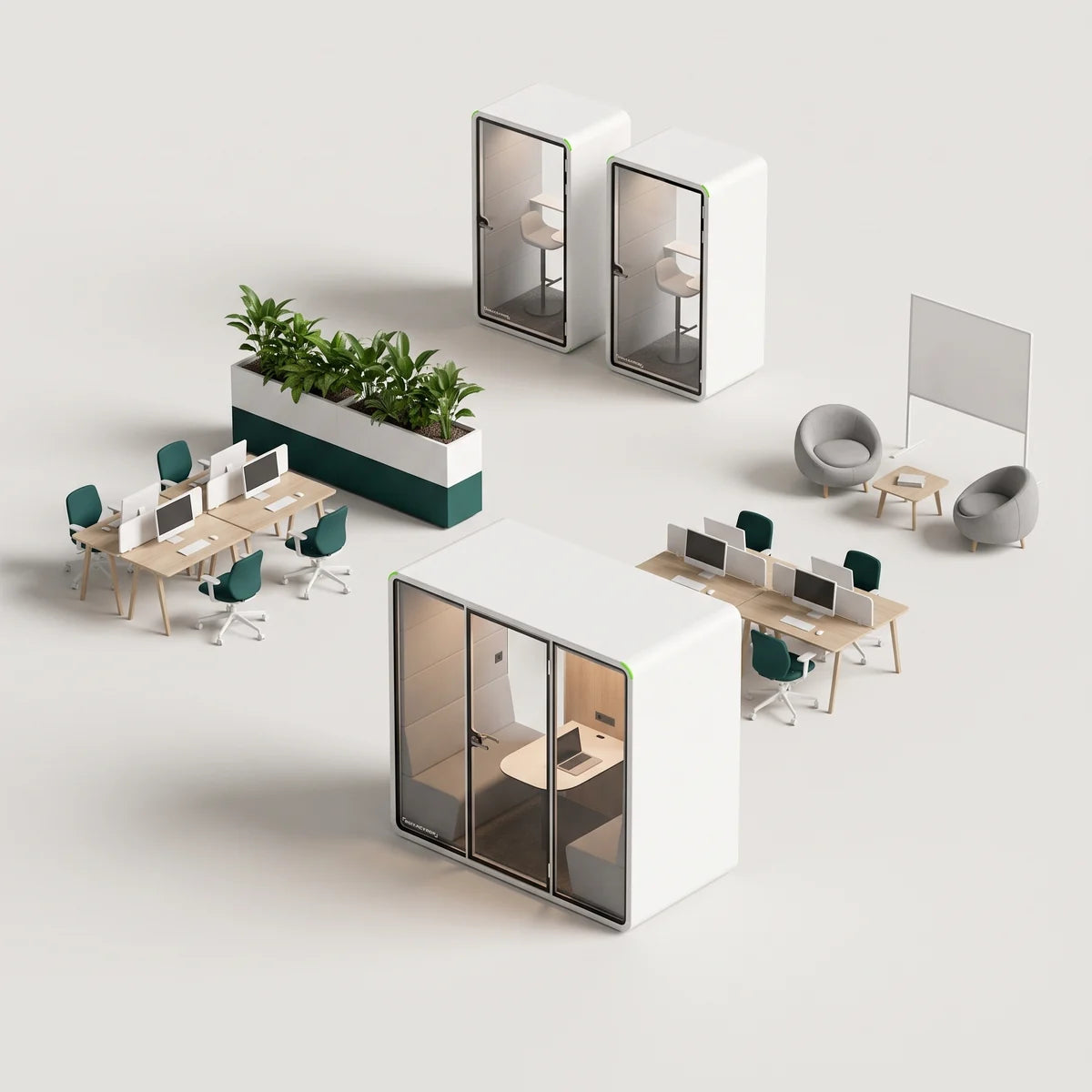
Organizations should create room for both collaborative work and deep focus. PrivacyPod's studio-grade meeting pods cut ambient noise by about 30 dB. They install in hours and use low-embodied-carbon panels to deliver private space. Their modular design and factory-direct pricing make them a budget-friendly alternative to construction.
Employees at Peaksware say the sound isolation makes one-on-one conversations and focused work noticeably easier, with pods becoming dependable spaces for teams to gather without interrupting the rest of the office.

Actionable strategies to reduce workplace distractions
Minimizing distractions at work requires boundaries. Managing office distractions effectively is a skill that improves with practice and intentional system design. The right strategies help you reclaim focus, protect your time, and create an environment that supports deep, meaningful work.
1. Time-blocking and focus indicators
Defend your time proactively. Use a physical desk flag or a "Do Not Disturb" light on your Teams status to signal that you are in deep work mode. Set recurring 90-minute focus blocks on your calendar to ensure you have uninterrupted time to complete demanding tasks.
2. Email batching and notification triage
Stop reacting and start scheduling. Use features like Focus Assist in Windows or custom notification profiles on Mac to manage your inbox and workflow. Set up filters that route non-urgent messages to folders you only check once a day to minimize digital interruptions.
3. App blockers and the "phone parking" method
Remove temptation entirely with apps like Freedom that block distracting websites. These tools help you stay focused by removing digital temptations from your immediate environment. Physically placing your phone in a drawer breaks the checking loop, which sharply reduces screen time and keeps you from getting pulled off task.
4. Establish quiet hours and sound-masking
Create an auditory shield against office noise. If your office is loud, invest in noise-cancelling headphones. Streaming a pink-noise playlist can also help mask variable speech frequencies for better focus, helping employees stay on task even in noisy open environments.
5. Adopt a meeting-light culture
Managers should encourage "No-Meeting Wednesdays" or default to 15-minute syncs via Slack. Use async video updates for status reports to prevent calendar congestion and improve team performance. Always ask whether a meeting could be an email. Schedule meetings strategically during low-energy hours to preserve peak focus time, and cluster them rather than scattering them throughout the day.
6. Desk minimalism and digital hygiene
Clear the decks by keeping only what you are currently using on your workstation. Apply the same logic digitally with a standardized folder naming convention. This reduces search time and mental load, giving you a clean dedicated workspace for your to-do list.
7. Tech tune-up
Do not let slow tech slow you down. Perform a monthly software audit to remove unused apps. Clear your browser cache and organize your desktop regularly to maintain efficiency.
Reclaim your focus, reclaim your productivity
Distractions at work drain billions in productivity and cognitive capacity. The fix takes a holistic approach: personal time-blocking, team communication policies, and smart desk hygiene. Reducing distractions in the workplace supports both productivity and employee well-being.
Environmental fixes like acoustic treatments and quiet zones often deliver the highest ROI by permanently reducing noise. The payoff goes beyond output. Teams experience lower stress, improved job satisfaction, better morale, and greater control over their workday.
Ready to reclaim your team's focus? Explore PrivacyPod's studio-grade pods to create instant quiet zones in your office today, or browse the full office pod collection.
FAQs
How much noise can a soundproof office pod block?
PrivacyPod is ISO 23351-1 Class A certified, with about 30 dB of speech level reduction, independently confirmed by SGS testing. This means normal speech inside sounds like a faint murmur, or nothing at all, just feet away. Field tests show a roughly 30 dB drop in conversational frequencies, outperforming most drywall meeting rooms while restoring privacy and focus in open workspaces.
What is the 23-minute recovery rule?
Based on research, it takes roughly 23 minutes to return to the original task with the same level of focus after being interrupted. This recovery time accumulates, leading to hours of lost productivity daily.
Do noise-cancelling headphones replace acoustic pods?
No. Headphones help the individual focus, but they do not prevent that person from distracting others when they speak. Pods solve the noise issue for both the user and the surrounding team, providing a physical boundary that headphones cannot.
What are "positive distractions"?
Occasional breaks or "positive distractions," like a brief walk or a short pause, can reset the brain and reduce fatigue. However, chronic, unwanted interruptions generally degrade performance. The key is intentionality versus interruption.
How can I reduce visual office distractions?
Clear your desk of everything except the task at hand to avoid visual distractions. Position your monitor to block the view of high-traffic areas if possible. Reducing visual clutter minimizes cognitive load and improves concentration.
Ready to build quieter, more focused workspaces?
Browse the full PrivacyPod office pod collection, compare models on the pod comparison page, or contact the PrivacyPod team for a project-specific recommendation.
Filed under Focus & wellness
Back to the blog